ResearchTechnology & everyday life
How we learned to use computers
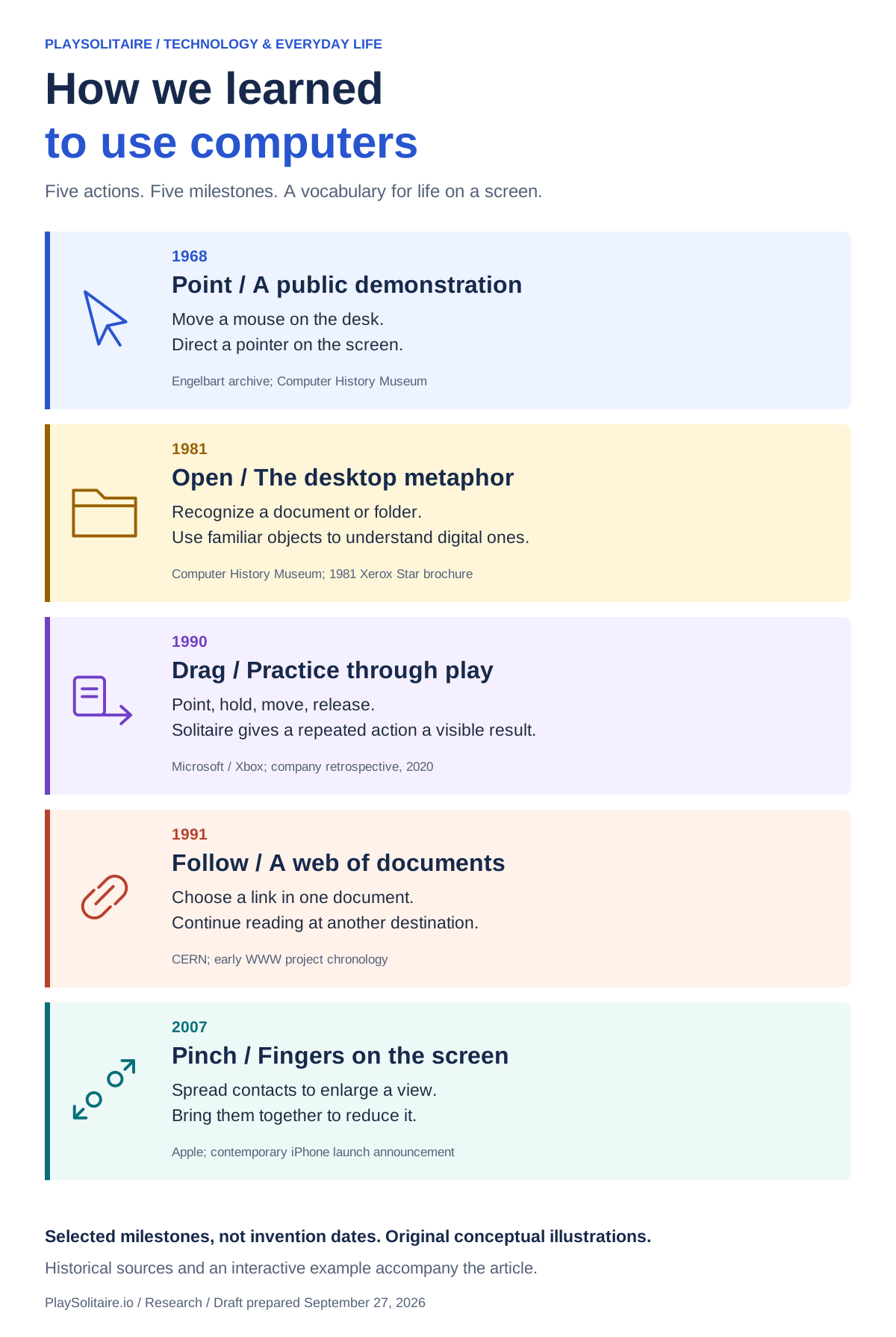
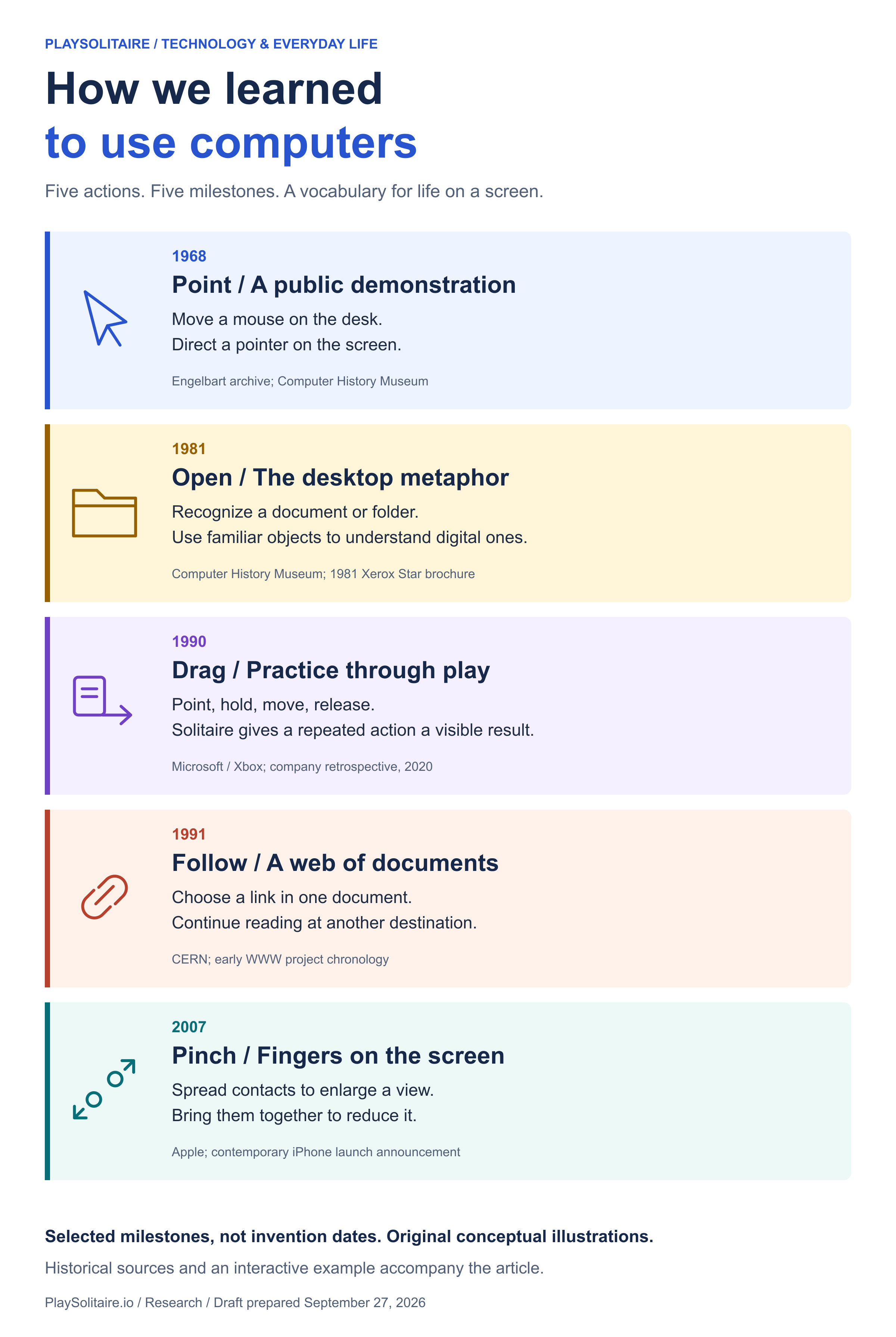
Point. Open. Drag. Follow. Pinch. The small actions that made a screen feel like somewhere we could do things.
A vocabulary for life on a screen
A folder on a screen is not a cardboard folder. A pointer is not your hand. Yet these substitutes let us organize information using actions that soon become familiar.
That familiarity has a history. Computer interfaces paired new controls with recognizable objects, visible movement and useful results. A document could be selected. A card could change piles. A line of text could lead somewhere else.
This is a history of five things users learned to do. The dates mark specific demonstrations, products and releases. They do not mark the invention of every underlying idea, or the moment everyone started using it.
Selected milestones, not a complete chronology or a set of invention dates.
01 / POINT 1968
Your hand is here. The pointer is over there.
On December 9, 1968, Douglas Engelbart and his team demonstrated their NLS system publicly. Alongside the mouse, the presentation showed hypertext and collaboration between people at different locations. The Engelbart archive preserves the event and its recordings.
A mouse introduces an indirect relationship: move an object on the desk and watch a different object move on the screen. The useful skill is connecting those two spaces, then directing the pointer toward a target.
One movement, two spaces
Selecting an exposed card in FreeCell uses the same basic relationship: move your hand to aim at an object somewhere else, on the screen. The Computer History Museum places the mouse’s development before that demonstration. Its collection history is a useful reminder that showing an invention publicly and inventing it are different milestones.
02 / OPEN 1981
An office became a vocabulary for the screen
The Xerox Star used an office metaphor: its screen contained icons representing documents, folders and other familiar objects. A 1981 brochure, quoted by the Computer History Museum, explains this electronic desktop in the language of office work.
The metaphor supplied expectations as well as names. A document holds information. A folder gathers documents. Opening something reveals what is inside. Those are useful starting points for understanding a digital system, even when its rules differ from the physical world.
Borrow an object. Suggest an action.
The limits of the metaphor matter too. A digital document can have copies, permissions or links to other documents. Learning an interface includes discovering where the analogy stops being useful.
03 / DRAG 1990
A game made an unfamiliar gesture worth repeating
Microsoft says Windows Solitaire arrived with Windows 3.0 in 1990 and helped people learn to drag and drop with a mouse. That is the company’s retrospective account, not a measurement of how much every player learned.
Dragging asks more than clicking. You locate an object, press and keep holding, move toward a destination, then let go. A visible object gives that sequence a purpose: it ends up somewhere new.
Move the memo into the folder
- Point
- Hold
- Move
- Release
Drag the memo onto the folder.
Or select Memo, then Folder with clicks, taps or the keyboard. Escape cancels a selection.
A card game provides a different destination for the same action. In Solitaire Turn 1, cards move between tableau piles according to the rules. The gesture moves the card; the game determines whether its destination is allowed. Our Windows Solitaire history explores that particular connection in more detail.
04 / FOLLOW 1991
A document could become a route to another document
CERN’s early project history records a working Web prototype in 1990 and browser releases during 1991. The line-mode browser reached a limited audience in March; software files were made available online and announced to newsgroups in August. These are milestones in the Web project’s development, not the invention of hypertext.
A link changes what reading can involve. Part of a document becomes a destination you can choose. Instead of following only the order the author placed on the page, you can take a route through related material.
A line of text becomes a doorway
to keep reading
The link is the relationship; a mouse click is only one way of following it. That distinction lets the same idea work with a keyboard, a touch screen or another input method.
05 / PINCH 2007
Your fingers moved onto the picture
Apple’s June 2007 launch announcement described using taps, flicks and pinches to control the iPhone. The phone went on sale in the US on June 29. The contemporary announcement documents that product milestone; it does not establish that touch or multitouch began with it.
Touch places the input on the same surface as the visible object. A two-finger zoom uses the distance between contacts: spread them to enlarge the view, or bring them together to reduce it. The movement itself becomes part of the instruction.
Change the distance. Change the view.
Spread apart
Zoom in
Pinch together
Zoom out
Being direct does not make a gesture obvious to everyone. The screen still has to communicate what can move, what can be selected and what happened after an action.
Sources and historical scope
This is an illustrated historical explainer, not an experiment or a complete history of computing. The five dates identify selected milestones. The explanations of what an action asks of a user are our analysis; the historical claims are supported below.
- Doug Engelbart archive: the 1968 demonstration — date, system and demonstrated capabilities. Computer History Museum: The Mouse supplies development context.
- Computer History Museum: The Xerox Star Runs One More Time — a retrospective event page quoting the 1981 brochure’s descriptions of desktop objects.
- Microsoft/Xbox: Solitaire’s 30th anniversary — a 2020 company account of the 1990 release and learning to drag.
- CERN: WWW Project History — project chronology, including 1990 prototypes and 1991 browser releases.
- Apple: iPhone launch announcement, June 28, 2007 — launch date and the contemporary description of gestures.
- W3C: Understanding Dragging Movements — current accessibility context, separate from the historical milestones.
Sources checked September 27, 2026. Illustrations are original and conceptual. Product names identify the historical examples; no affiliation is implied.
Keep the visual reference
Timeline artwork (SVG)Timeline artwork (PNG)Milestones and source notes